
Write without losing the book
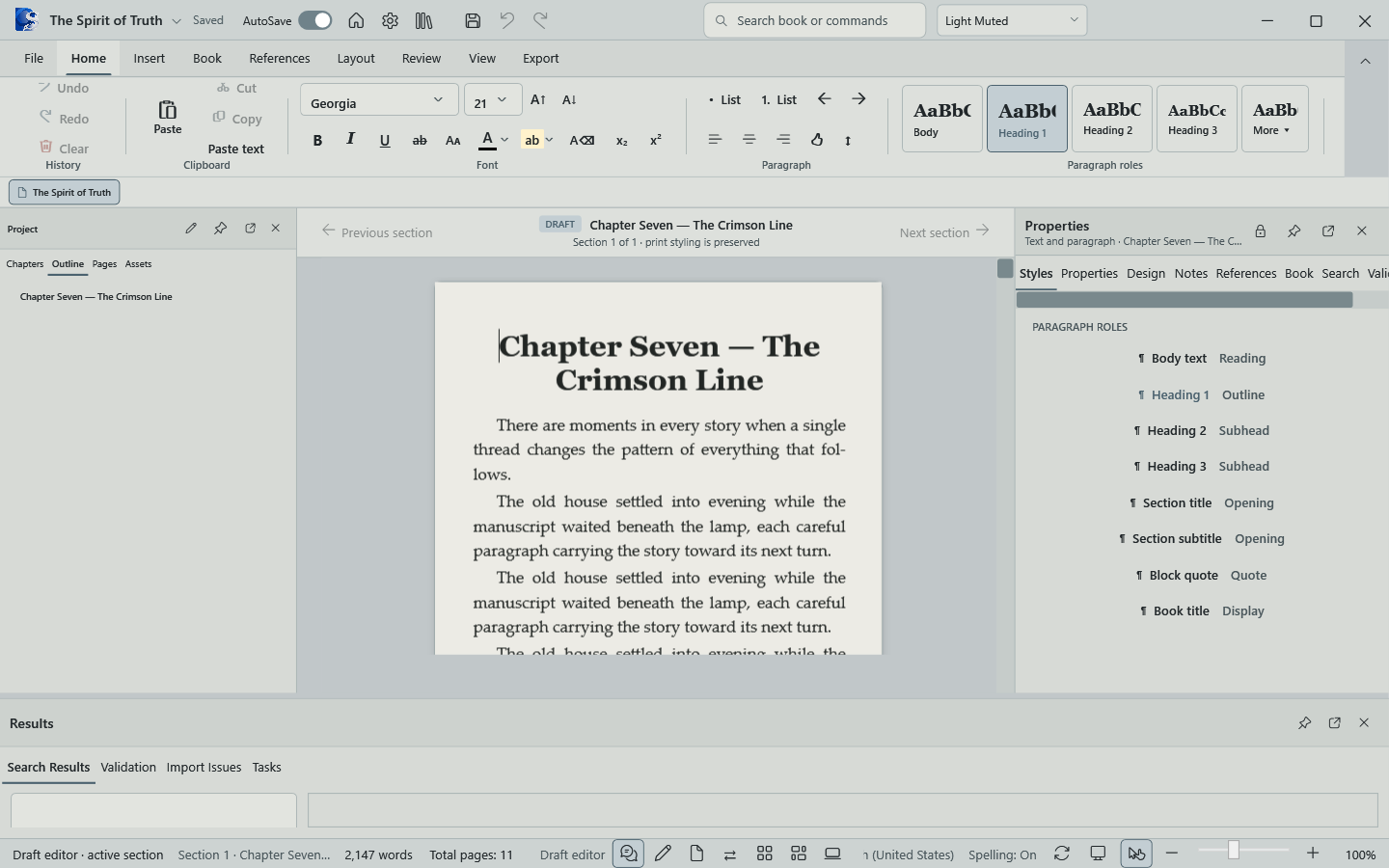
A responsive long-form editor, section navigation, autosave, recovery, and live manuscript statistics keep the work moving.
 OYAMA Publish
Now available on Microsoft Store
Oyama Scribe keeps drafting, book design, reference matter, and print proofing in one focused Windows workspace—so the manuscript and the finished volume never drift apart.
One manuscript. One production system.
The complete workflow
Most writing apps stop at words. Oyama Scribe understands that a book is also structure, rhythm, typography, reference matter, and physical pages.
A responsive long-form editor, section navigation, autosave, recovery, and live manuscript statistics keep the work moving.
Set trim, margins, gutters, typography, chapter openings, running elements, and numbering from book-aware tools that share the same project.
Create subject and scripture indexes, manage citations, footnotes, endnotes, sources, and bibliographies without leaving the manuscript.
Review fixed pages and complete spreads, run publishing preflight, then export PDF, DOCX, EPUB, or a mobile-ready Oyama WebViewer.
Built for complete books
Use one native project to move from an opening page to running heads, reference matter, page numbering, and a finished export.
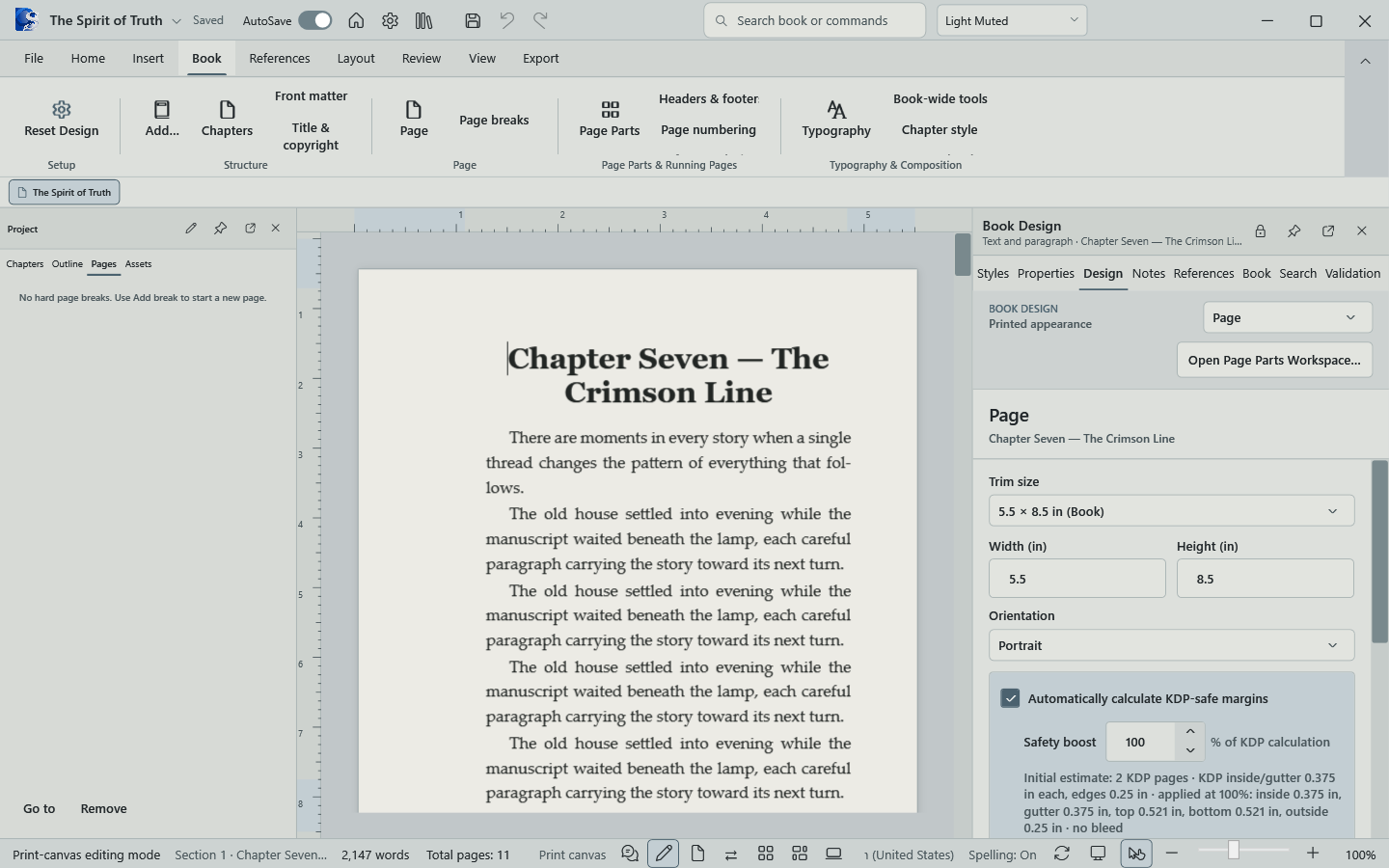
Trim, margins, running pages, numbering, themes, and reference design are available where the book is being made.
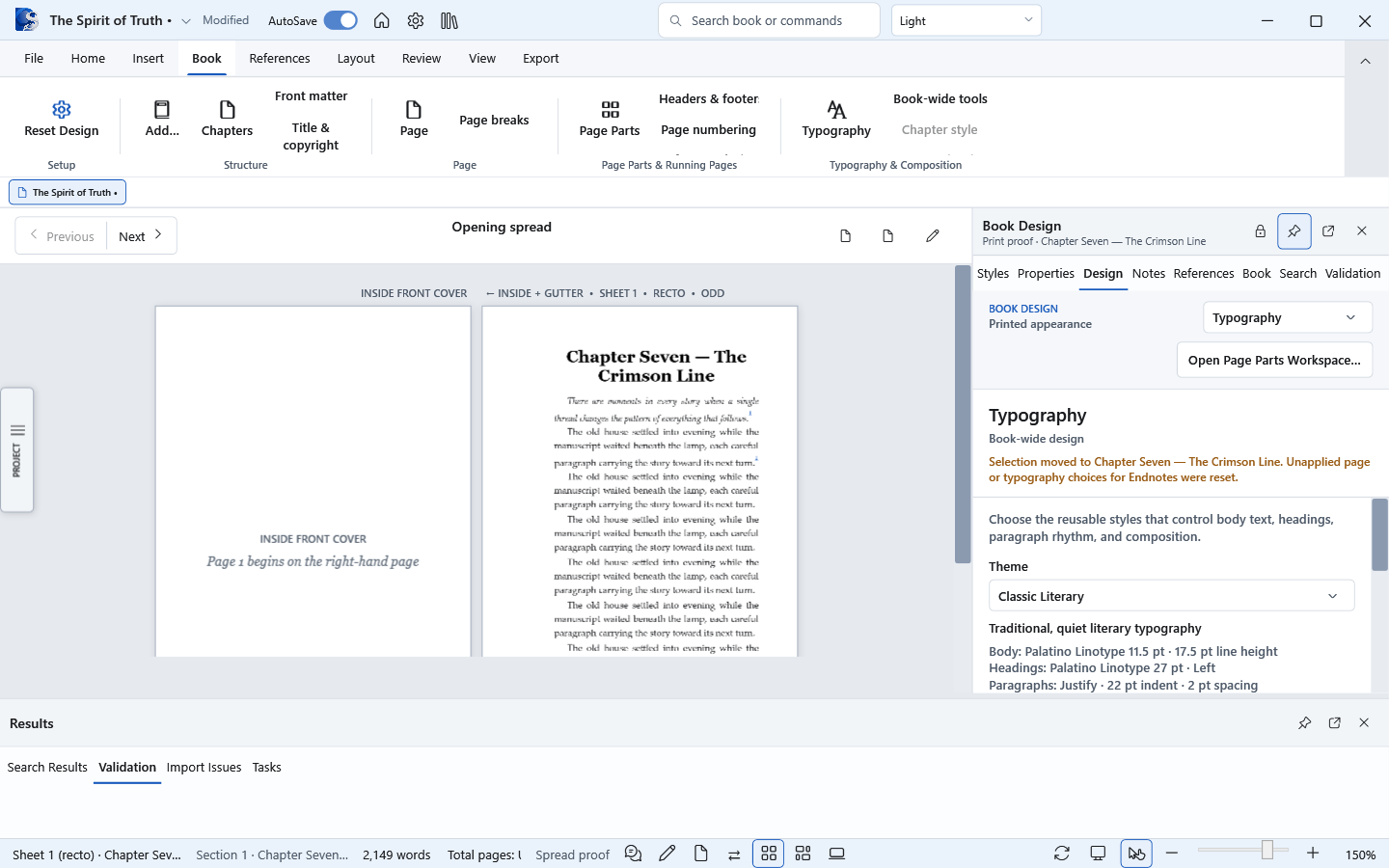
Choose or create reusable typography for body text, headings, paragraph rhythm, and the complete manuscript.
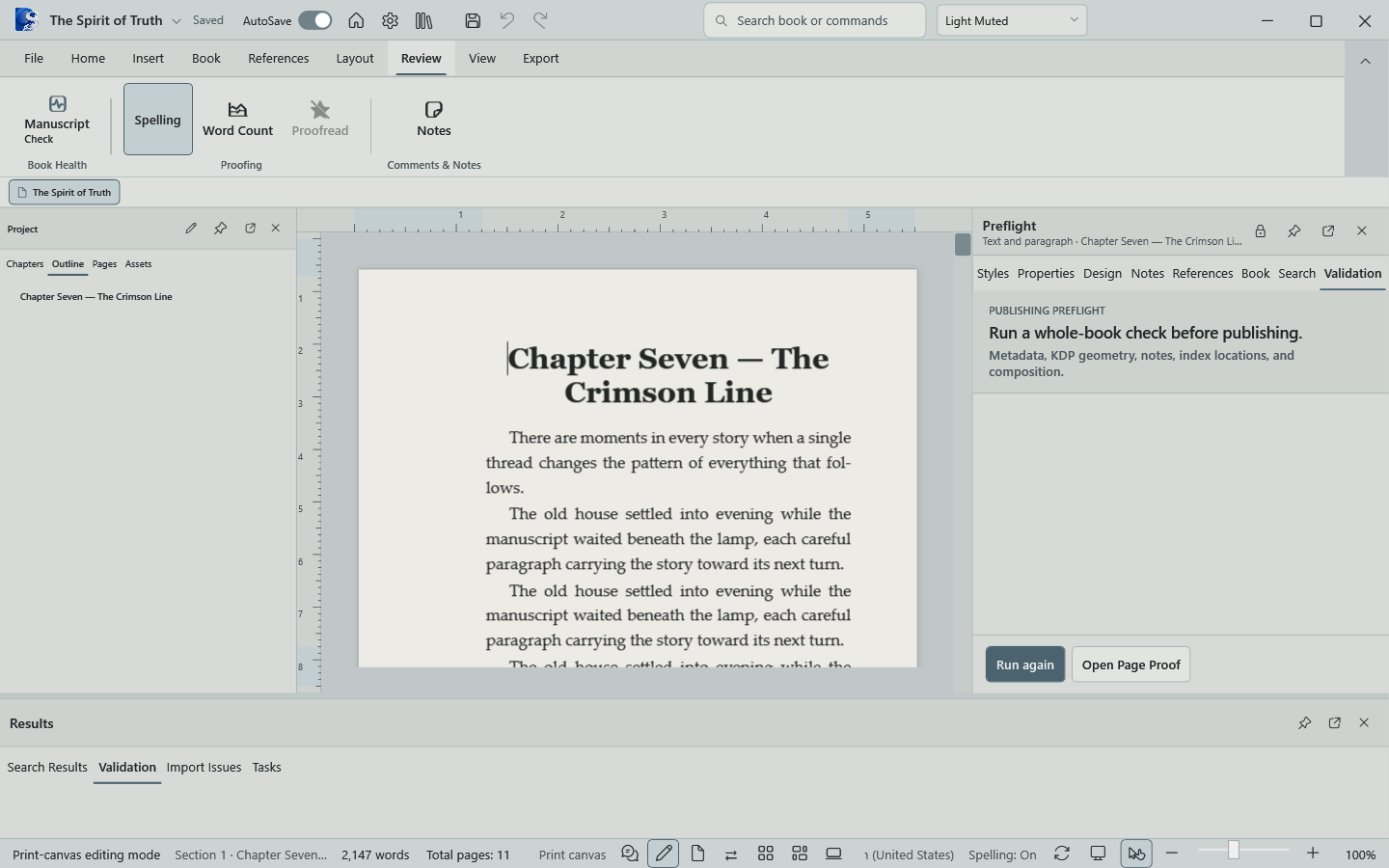
Keep validation, manuscript context, and review tools together while preserving the writing surface.
Inside Oyama Scribe
Each part of the application shares the same manuscript, structure, and production settings. There is no export-and-rebuild step between writing and page design.
Set book titles, chapter titles, running heads, footers, and page-number rules from the Book Design workspace.
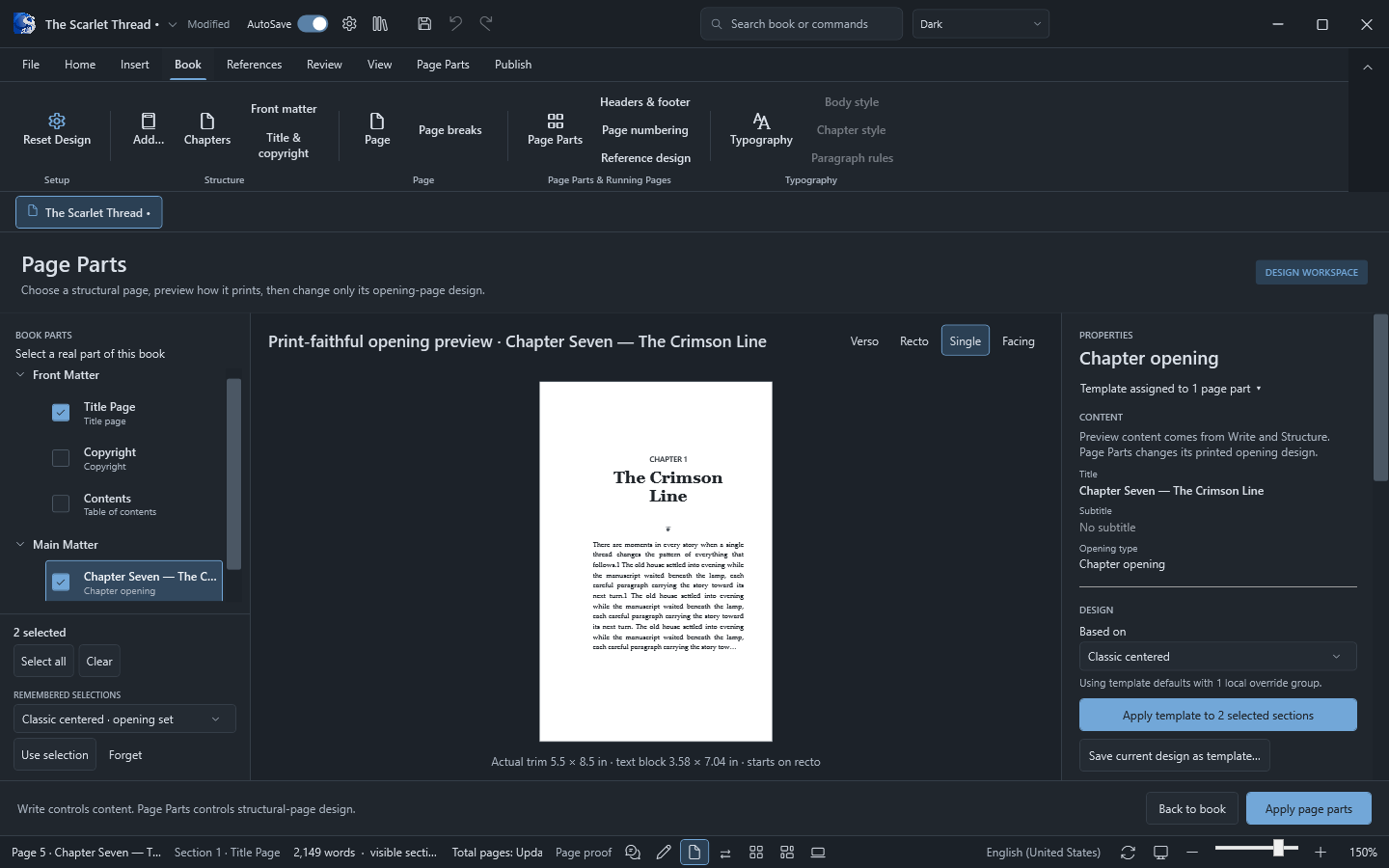
Handle title pages, intentional blanks, right-hand chapter starts, front matter, and chapter openings with real book logic.
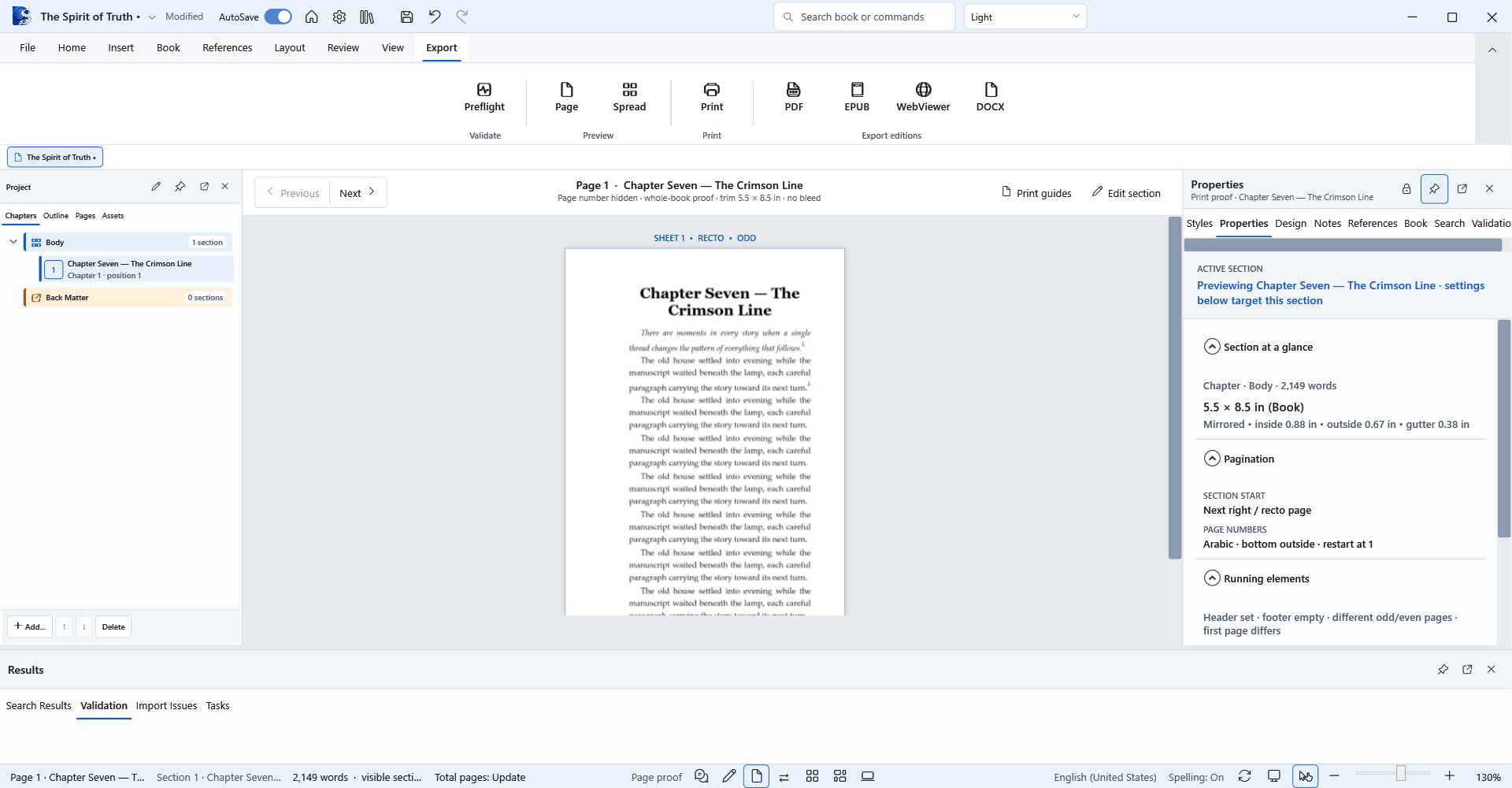
Turn on safe-area, gutter, inside, and outside-edge guides to verify every page before final output.
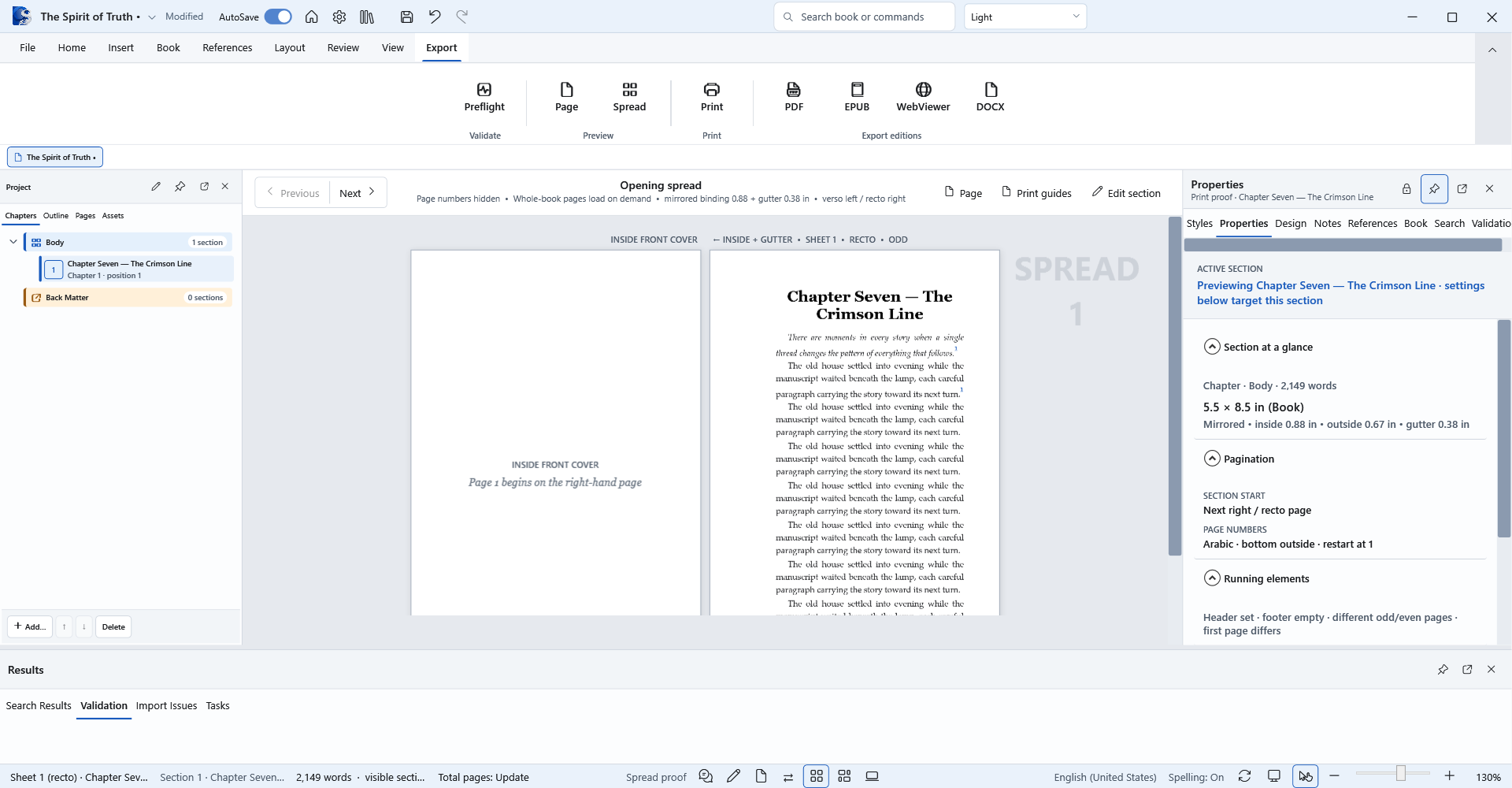
Production without guesswork
Proof complete spreads with real recto and verso placement, mirrored margins, binding gutters, running heads, and page numbers before anything reaches the printer.
New publishing tools
Build the reference pages readers need, then publish the same book as print, ebook, or a branded WebViewer ready for your own site.
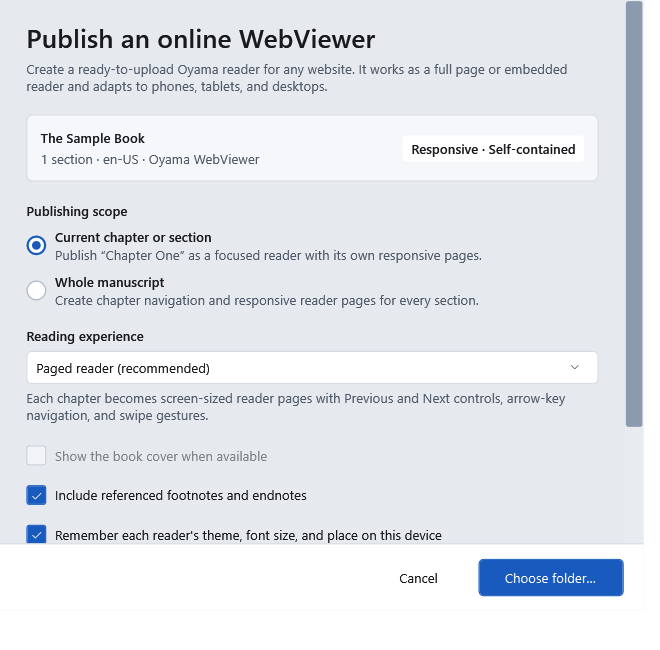
Publish one chapter or the whole manuscript as a self-contained, mobile-ready reader with paged or scrolling modes, reader themes, font controls, keyboard navigation, and swipe gestures.
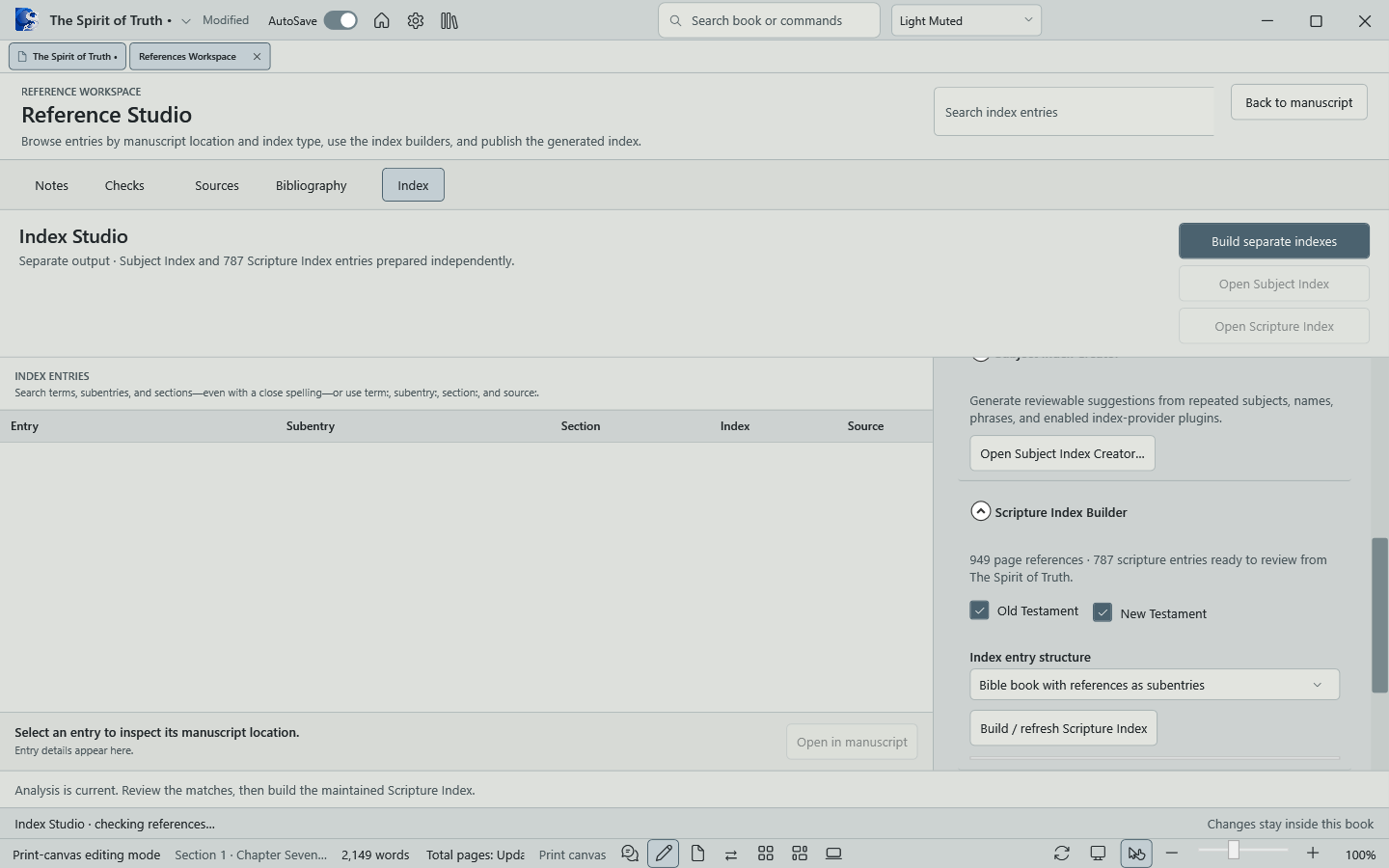
The Scripture Index Builder reviews Old and New Testament references in The Spirit of Truth, preserves manual entries, and prepares a separate, publication-ready scripture index.
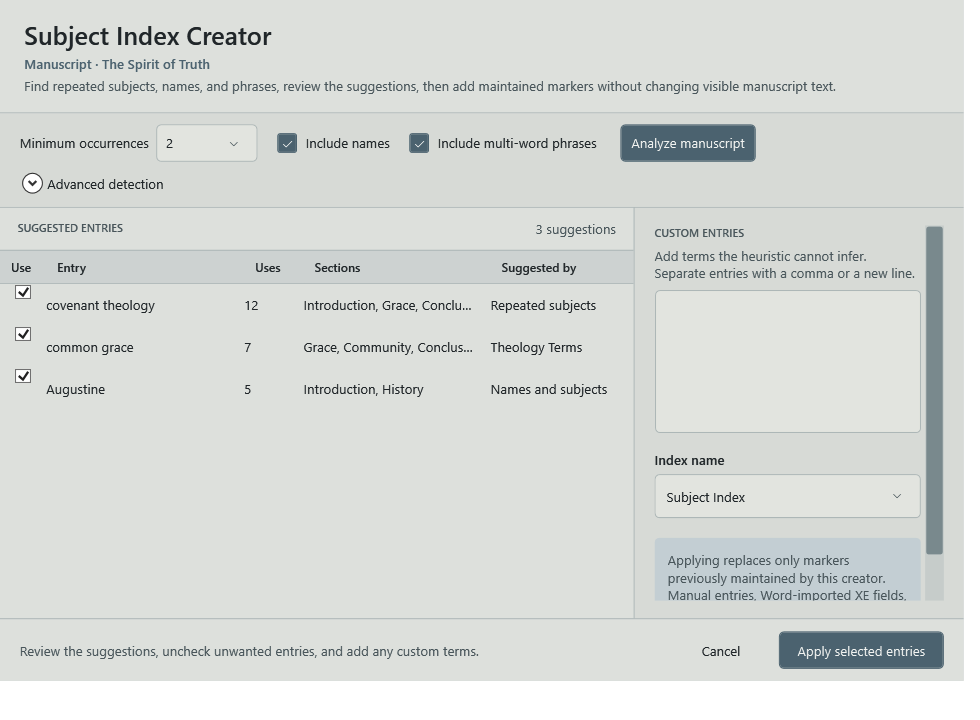
Review suggested subjects, names, and phrases, add custom terms, and apply only the entries you choose. Existing manual, Word-imported, and scripture markers stay intact.
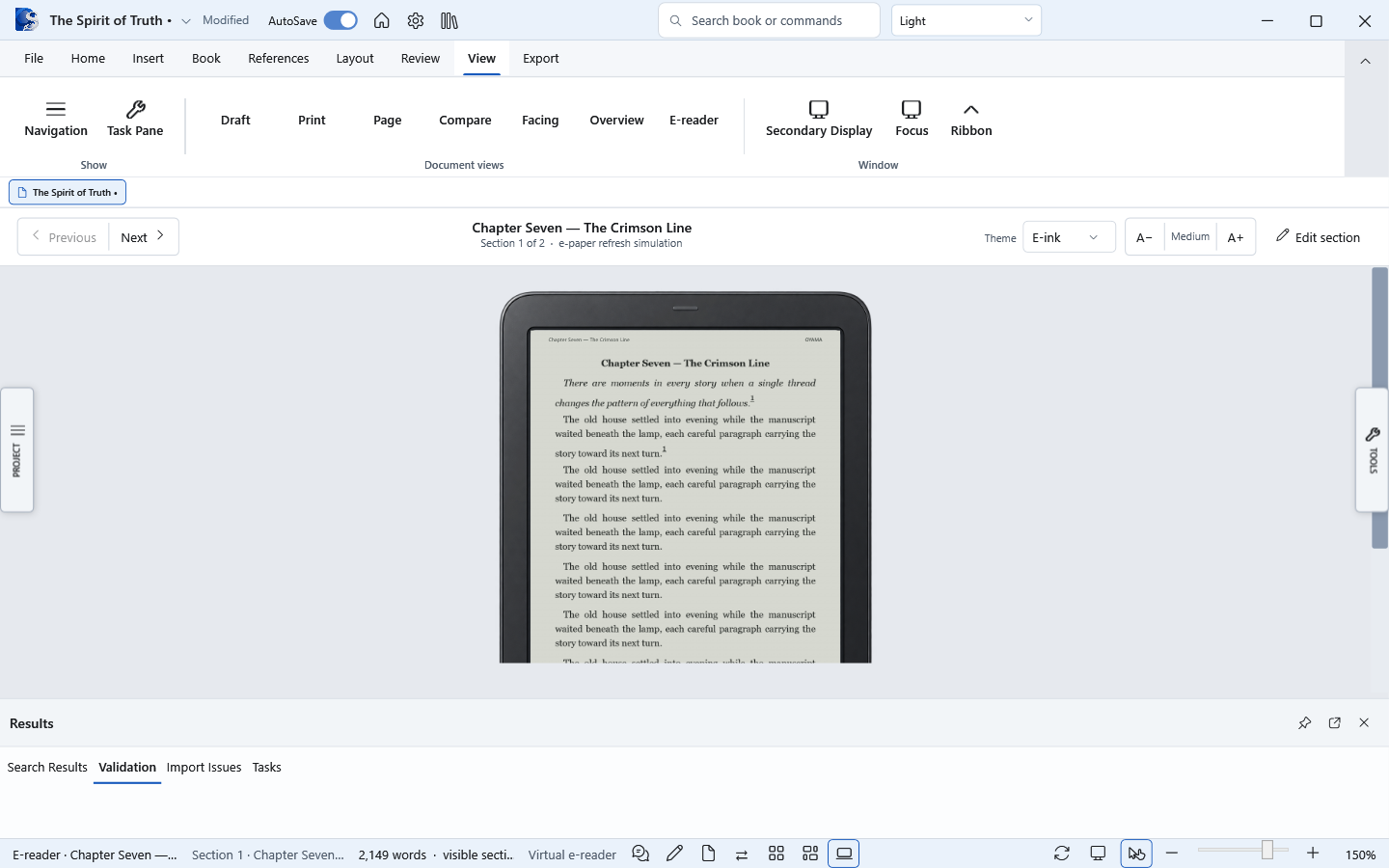
Preview the reflowable book in a focused ereader, check rhythm and readability, and move between print proof and digital delivery without maintaining separate manuscripts.
Your workspace, your light
Choose Paper, Light Muted, Ebook Paper, or Dark for the application around your work. System mode follows Windows automatically, while the page remains a faithful picture of the finished book.
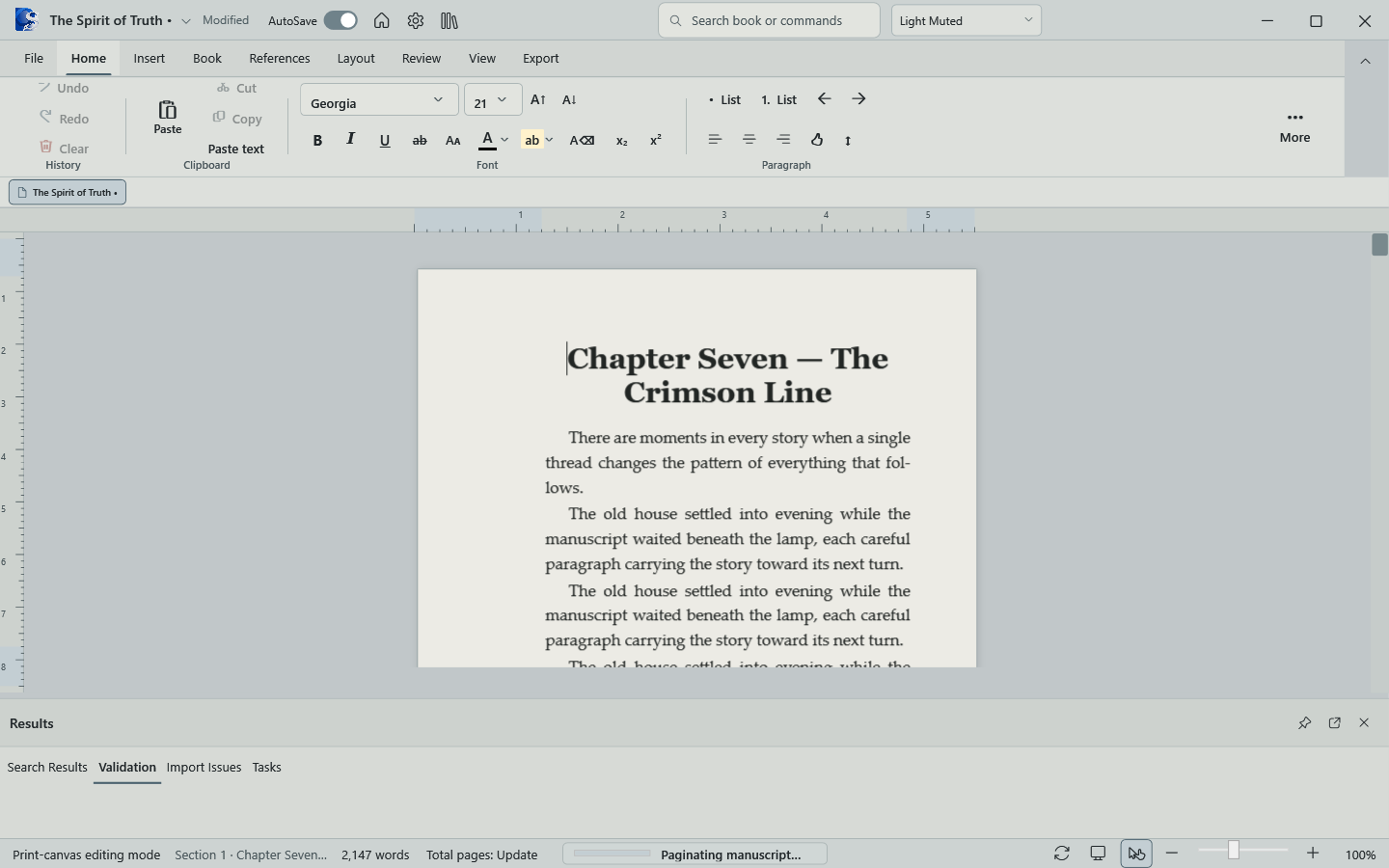
Made with Oyama Scribe
Explore title matter, chapter openings, facing pages, mirrored margins, running heads, and print-guide proofs from James Knox’s working Horan project.
More than a word processor
Oyama Scribe keeps the supporting work close to the manuscript, with practical tools for building, checking, and preserving a complete long-form project.
Rich text editing
Book structure navigator
Front and back matter
Scenes and chapter breaks
Find, replace, and spelling
Book theme builder
Trim and margin presets
Page Parts workspace
Headers and footers
Automatic page numbers
Scripture Index Builder
Subject Index Creator
Footnotes and endnotes
Citations and bibliography
Publishing preflight
Autosave and recovery
Atomic project backups
Streaming DOCX import
PDF, DOCX, and EPUB export
Mobile-ready WebViewer export
Now on Microsoft Store
Get Oyama Scribe through Microsoft Store for a familiar Windows installation and Store-managed updates.
