Your Story.
Professionally Published.

Transform your manuscript into a print-ready masterpiece. OyamaPublish combines the elegance of traditional publishing with modern tools — now in open beta.

✓ Beta v2.0.0-rc.1 ✓ KDP Ready ✓ Professional Formatting
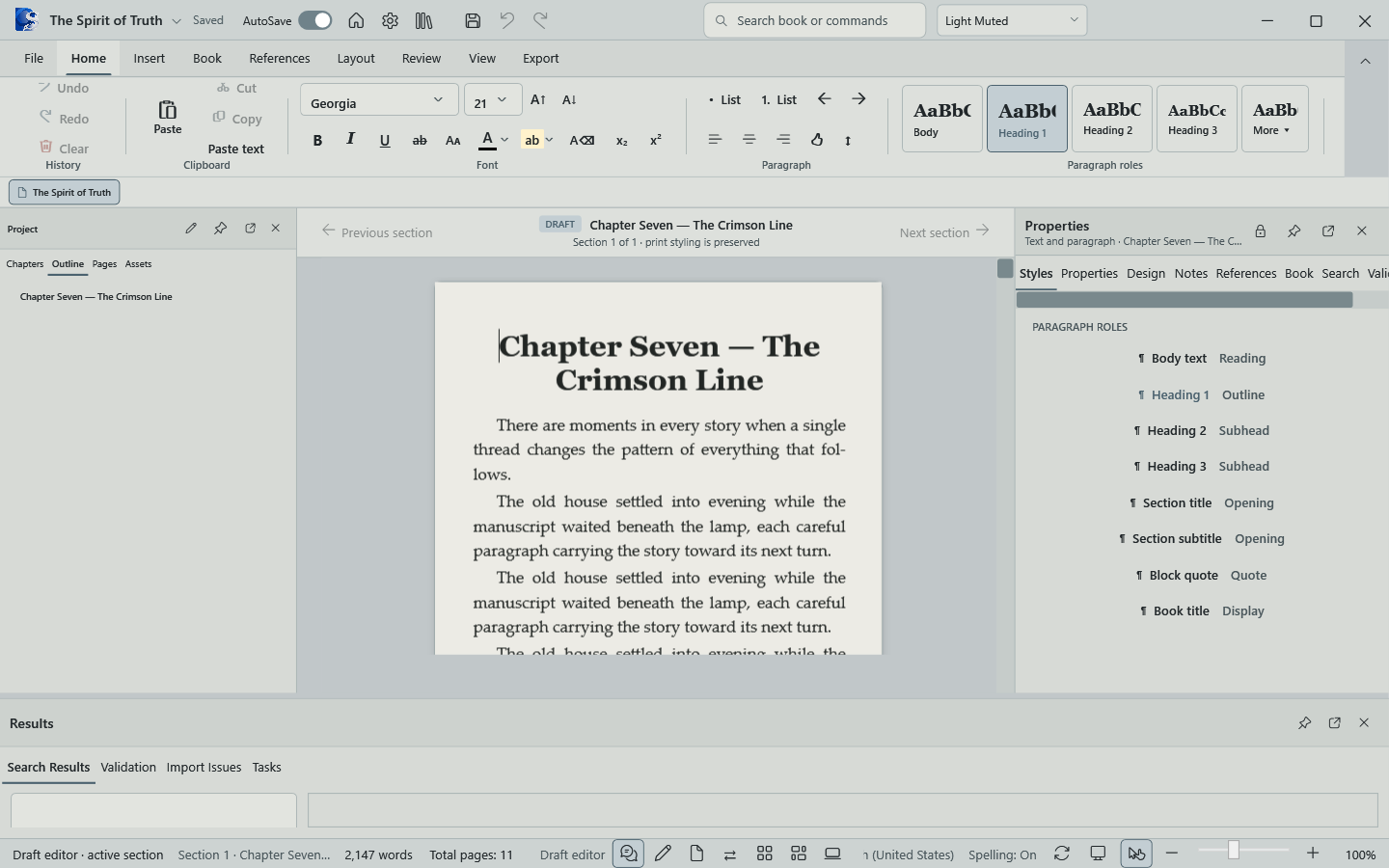
OyamaPublish Editor Interface

Everything You Need to Publish

From first draft to final export, OyamaPublish provides professional-grade tools for every step of your publishing journey.

Rich Text Editor Preview

Rich Text Editor

Powerful TipTap-based editor with complete formatting controls, auto-save, search & replace, and real-time word count tracking.

  • Headings, lists, and blockquotes
  • Scene breaks and chapter formatting
  • Image and link support
  • 1-second auto-save with visual feedback
Color-Coded Sections

Project Organization

Organize your manuscript with unlimited chapters, front matter, and back matter. Drag-and-drop reordering and color-coded sections.

  • Three-part structure (Front/Body/Back)
  • Drag-and-drop chapter reordering
  • Section-based word count tracking
  • Per-section print visibility control
Style Presets Preview

Genre-Based Style Presets

50+ customizable formatting properties with built-in presets for every genre. Create and save your own custom presets.

  • Classic Novel, Literary Fiction, Mystery
  • Trim sizes, margins, and bleed control
  • Typography: fonts, sizes, spacing
  • Chapter ornaments and drop caps
PDF Export Preview

Professional PDF Export

WeasyPrint-powered PDF generation with KDP compliance. Proper page numbering, running headers, and print-ready formatting.

  • Roman/Arabic page numbering
  • Mirrored margins for facing pages
  • Automatic TOC page numbers
  • Custom folio placement options

Title Page Designer

WYSIWYG title page editor with full styling control. Customize fonts, colors, alignment, and add decorative elements.

  • Live preview with real-time updates
  • Custom text elements and ornaments
  • Layout modes: centered, asymmetric, minimal
  • Precise spacing and margin control

OyamaTimeline

Manuscript revision tracking with automatic snapshots and named milestones. Restore to any point with safety backups.

  • Automatic periodic snapshots
  • Named snapshots for milestones
  • Point-in-time restoration
  • Retention policy management

Beautiful, Professional Interface

Every detail designed for an elegant writing and publishing experience.

Rich Text Editor

Distraction-Free Editor

Write with focus. Organize with ease. Everything you need in one elegant interface.

OyamaReader

OyamaReader - Immersive Reading Mode

Beautiful dark mode reading experience with customizable fonts and themes.

Book Viewer

Professional Book Viewer

Navigate through your finished book with realistic spread views and page tracking.

Project Management

Smart Project Management

Resume where you left off with intelligent project tracking and organization.

From Draft to Published in Four Steps

Write & Organize
01

Write & Organize

Create your project, add chapters, and write with our distraction-free editor. Auto-save keeps your work safe as you create.

Style & Format
02

Style & Format

Choose a genre preset or customize every aspect of your book's appearance. Design your title page with the built-in WYSIWYG editor.

Preview & Refine
03

Preview & Refine

Generate live previews with real-time split-screen view. See exactly how your book will look with professional spread previews as you edit.

Export & Publish
04

Export & Publish

Export print-ready PDFs for Amazon KDP or EPUB for digital distribution. All formatting is KDP-compliant and ready to upload.

Powerful, Fast, Reliable

Electron
Cross-platform desktop framework
TypeScript
Type-safe development
TipTap
Rich text editing engine
WeasyPrint
Professional PDF generation
SQLite
Reliable local database
React
Modern UI framework

Free During Beta

Start publishing today with our free edition. Professional tier with advanced features coming soon.

Free Edition

$0 forever
  • Unlimited projects
  • Rich text editor with auto-save
  • Chapter management
  • Basic style presets
  • PDF export (watermarked)
  • Custom style presets
  • Title page designer
  • OyamaTimeline
Download Free

Ready to Start Publishing?

Download the free beta for Windows and start writing today. macOS and Linux builds coming soon.

Currently in Beta (v2.0.0-rc.1) • Open Source • MIT License

Get in Touch

OyamaPublish is currently in beta. We'd love to hear from you — whether you have questions, feedback, or need support.

Email us at
contact@jamesnox.com

We typically respond within 24-48 hours